
StreetCard Go!
The final card art is still a beta. People are drawing the frame properly and it may change. The shape won't: 5:7, portrait. If your drawing has another one, you frame it when you upload it.
The app's card game uses drawings from the community, with the artist's @ on the card. Here you have the template and the sizes, you can try how your drawing looks and, if you already have a card, ask for changes.
Already have a card in the game? Ask for a change here. All the cards are in Cards.
Sizes and template
| Drawing size | 1000 × 1400 px |
|---|---|
| Other sizes | They work: you frame it when you upload it and it's saved at 1000 × 1400 |
| Ratio | 5:7, portrait (like a real card) |
| On the console | The card is 160 × 234 px and the drawing window 136 × 119 |
| File | PNG or JPG, up to 8 MB |
No frame, no text and no signature: the card adds the name, the numbers and your @.
Templates
Put it as a layer over your drawing, at 1000 × 1400, and hide it before exporting. They are transparent PNGs: anything not marked shows as it is.
Try your drawing
Pick your drawing and see how it looks on the card, just like on the console. If you like, write the name, type and ability you would suggest.
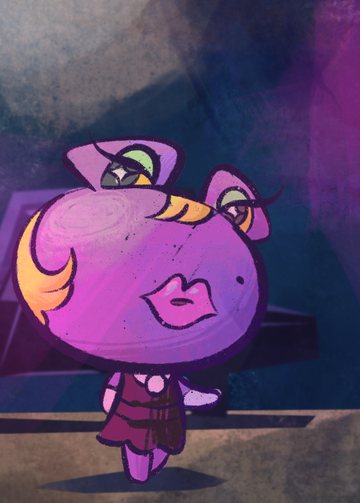 Monster · Effect
Blackmail. When played, your opponent discards a random card.
Where everything goes
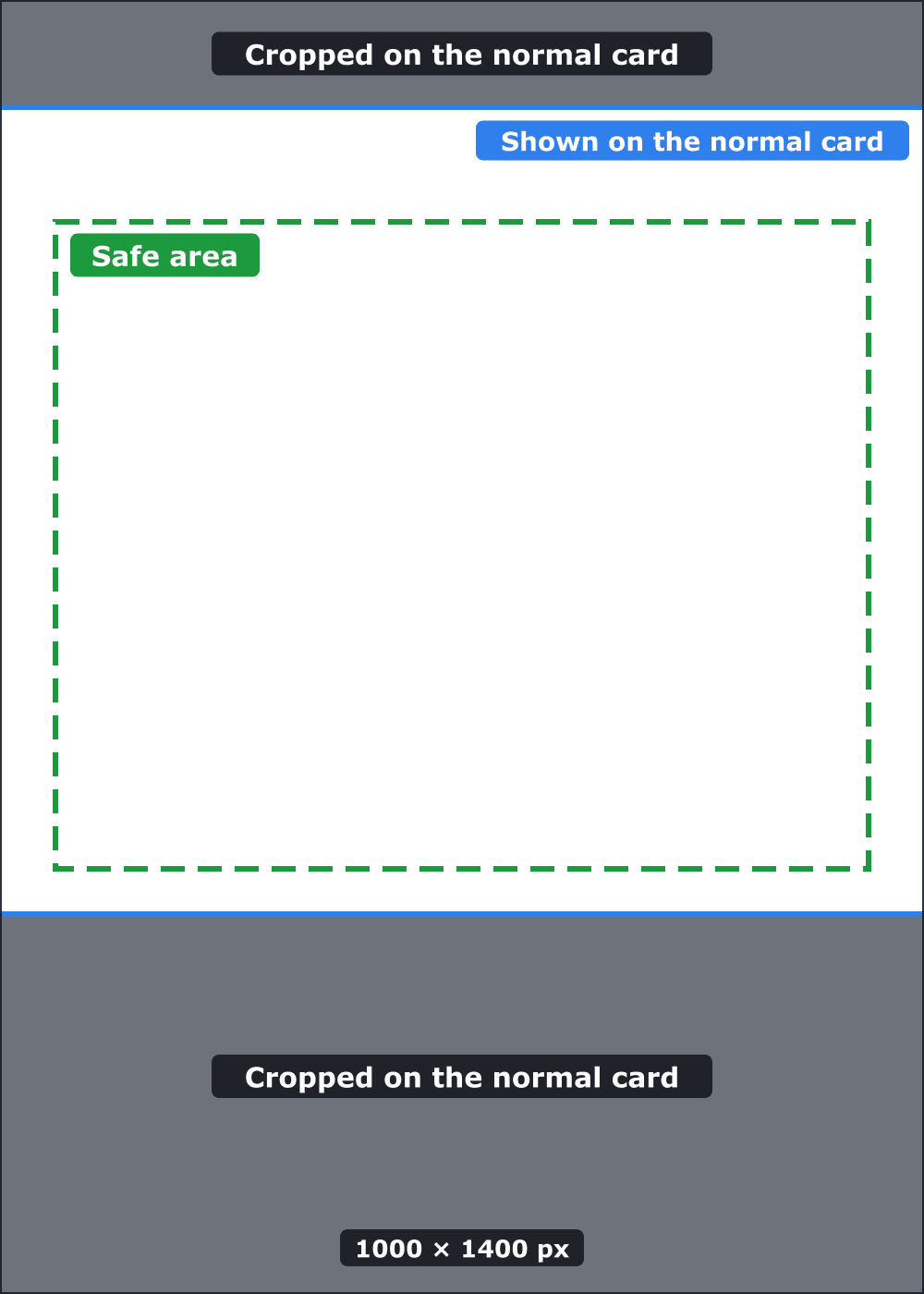
Normal card: the drawing goes in a window that is wider than it is tall, so the top and bottom get cropped. The strip from 116 to 989 px high is shown. Nothing covers it.
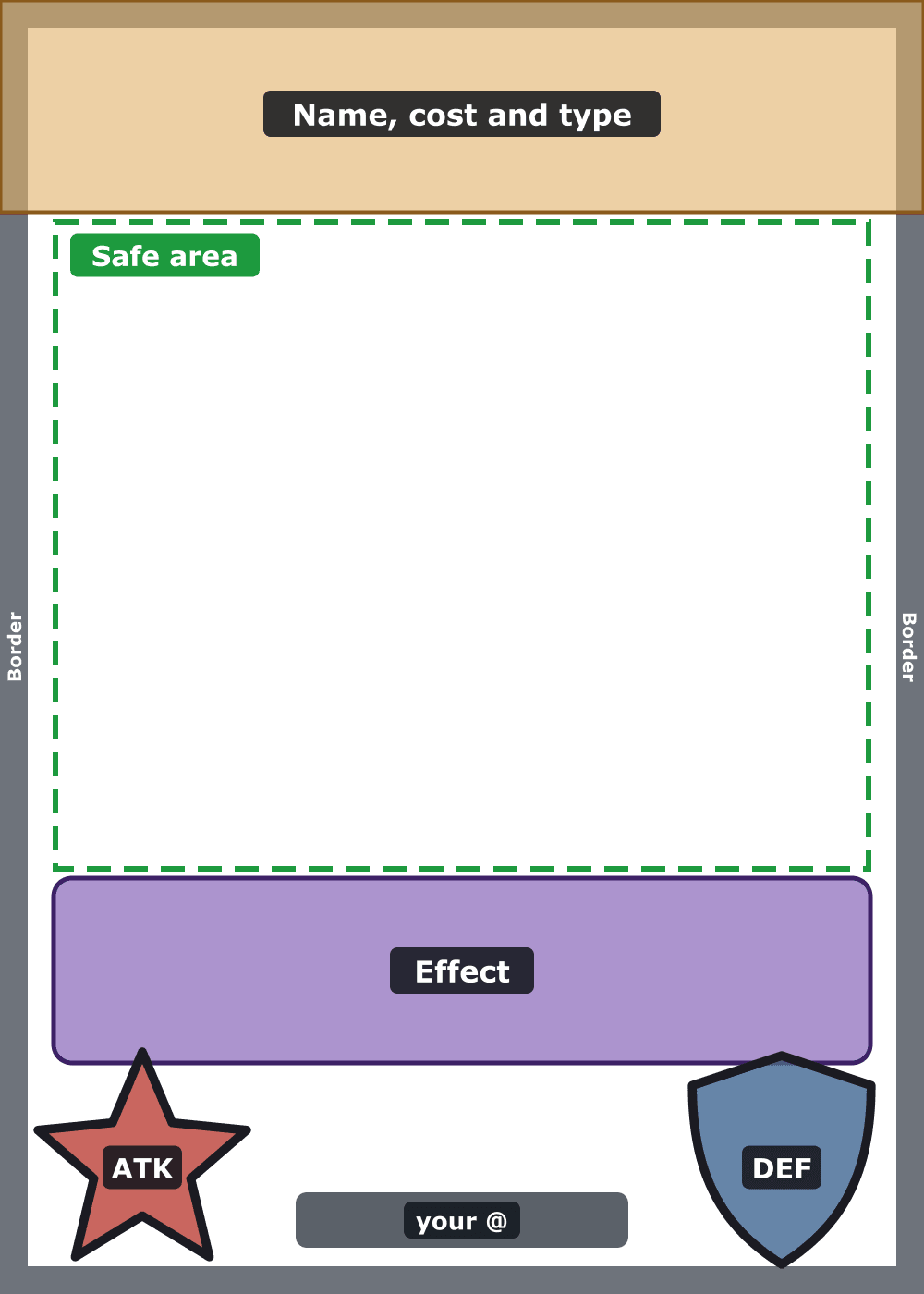
Full art: the drawing fills the card and the frame goes on top. Name, cost and type at the top; effect, attack star, defence shield and your @ at the bottom. Celestial cards use it now.
Keep the important parts (faces, hands, whatever the card is about) inside the safe area: from 240 to 940 px high and 60 px from each side. It shows in full in both versions.
Outside it, keep drawing the background to the edge: in full art it shows, with things on top.
- Top, 0 to 230 px: name, cost and type.
- Bottom, 950 to 1400 px: effect box, attack (left), defence (right) and your @ in the middle.
- All around, a 30 px coloured border.
Your cards
If a card in the game is yours, you can ask for it to be changed here. And if you have suggested a drawing, you can say which type and ability you would give it.
Loading…
When it's ready
Upload it in Drawings ticking “I drew it in card format” and “I want to suggest it as a card”. Then, in “Your cards”, you can suggest its type and ability.
 Home
 News
 The app
 Weekly code
 StreetCard Go!
 Re:Beat!
 People
 Help